
Frameo Digital Photo Frame: How It Works, Setup Guide & Is It Worth It?
You're scrolling your camera roll on a Tuesday night — your mum's birthday last weekend, your kid's gap-toothed grin, the dog doing something ridiculous in the backyard — and you think: she should be seeing these as they happen, not six months later in a Christmas card. That's the moment a Frameo digital photo frame makes sense. Your photos land on their screen the moment you send them, no tech skills required on their end, no USB sticks, no printing. Just your face, their lounge room, instantly. Some people set one up and within the hour their mum texts back: "A photo just appeared — is that the new puppy?!"

Quick answer: A Frameo frame is a Wi-Fi connected display that receives photos from family and friends via the free Frameo app — in real time, from anywhere in the world. The frame owner needs zero tech skills. Senders download the app, enter a one-time pairing code, and photos arrive automatically. It's one of the most genuinely useful gifts for Australian families separated by distance.

By the end of this guide you'll know exactly how the Frameo app works, how to set up your frame in under ten minutes, which size suits your space, what to watch for with Australian Wi-Fi routers, and where the frame genuinely falls short. Let's get into it.
What Is a Frameo Digital Photo Frame?
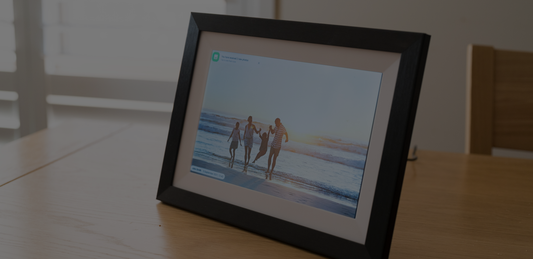
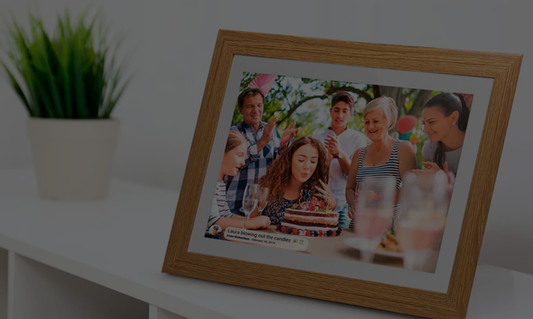
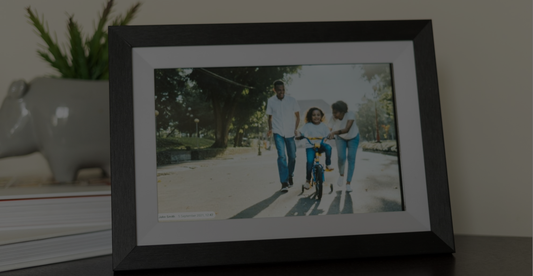
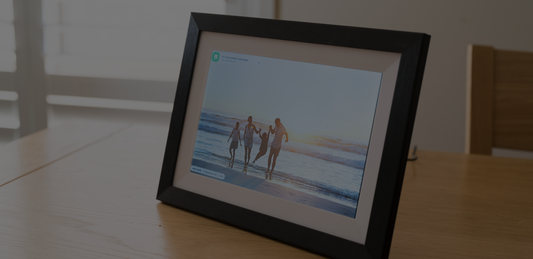
A Frameo digital photo frame is a Wi-Fi connected display that receives photos (and on many models, short video clips) directly from family and friends via the Frameo app. Unlike a traditional digital photo frame that needs an SD card or USB drive loaded manually, a Frameo-compatible frame connects to your home Wi-Fi and updates automatically every time someone sends a photo from anywhere in the world.
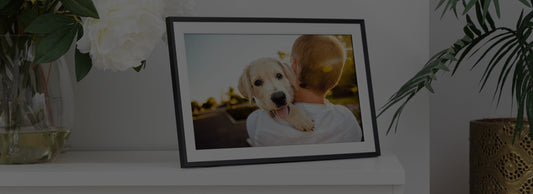
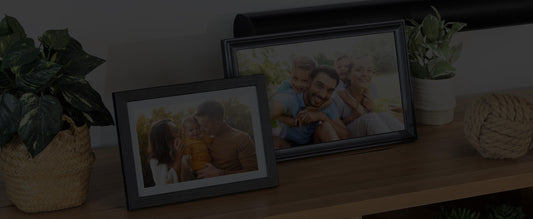
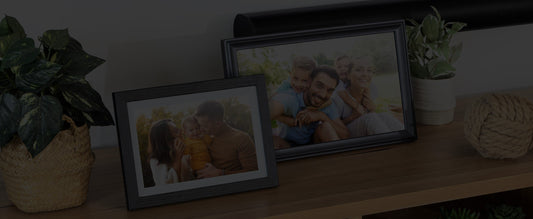
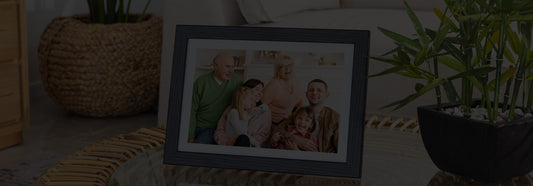
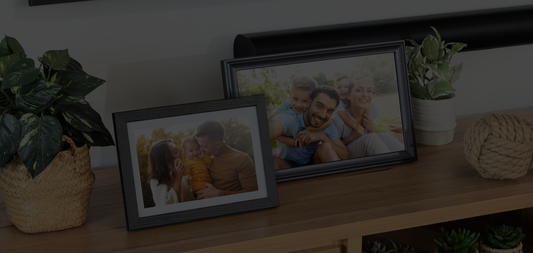
The frame sits on a shelf or mantle like a regular photo frame. The difference is that the photos on it are alive — cycling through whatever your family has sent recently. No one needs to visit. No one needs to manage it. It shows the people and moments you love, updated in real time.
In Australia, the digital photo frame category has grown steadily as families navigate the tyranny of distance — interstate moves, expats overseas, ageing parents living independently. The Frameo platform has become one of the most widely used systems globally because it solves a real problem simply. The frame owner never even needs a smartphone.
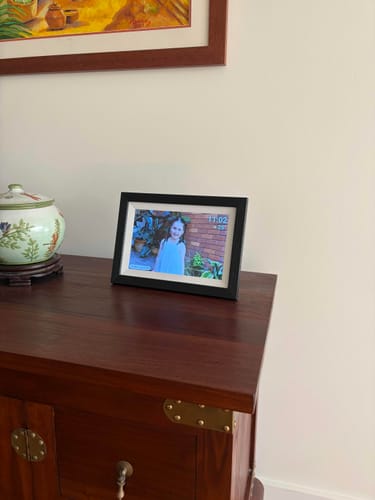
“Purchased as a Christmas gift for my parents so my brother and I can share photos of the grandkids. I am impressed with the quality of the frame and it was very easy to set up. The app is very handy and makes sharing photos very simple and easy. My parents are really happy with the frame too! Would purchase again.”
How Does the Frameo App Work?
The Frameo app is free to download on iOS and Android. It's what the people sending photos use — not the person who owns the frame. Here's the flow from their side:
- The frame owner generates a short pairing code on the frame's screen and shares it (once, via text or email) with whoever they want sending photos.
- Each sender downloads the Frameo app from the App Store or Google Play, enters the pairing code, and names their connection.
- From that point on, they can push photos from their camera roll to the frame any time — with an optional caption attached.
- The photo appears on the frame within seconds, no approval needed, no log-in on the recipient's end.

Multiple senders can pair to a single frame, so Mum's display can receive photos from all five kids, the grandkids, and close friends simultaneously. The frame owner never has to touch a phone or app — they just enjoy the photos as they arrive. For anyone who's ever tried to talk a grandparent through a video call, you'll understand exactly why that matters.
The Frameo app also lets senders see which photos have been received, and the frame owner can react to photos using the touchscreen — a small heart notification goes back to the sender in the app. It's a two-way moment, even though only one side needs any technology at all.

How to Set Up a Frameo Frame: Step-by-Step
Setup is straightforward — most people have their frame up and receiving photos within ten minutes. Here's the full process from box to first photo:
- Unbox and power on. Plug the frame into the wall using the included power adapter. If you're buying from LuvLink, the adapter is AU-compatible — no converter needed. The frame boots up automatically.
- Select your language and Wi-Fi network. The on-screen setup wizard walks you through this. Connect to your home Wi-Fi using the network name and password. Most Frameo frames — including the LuvLink range — connect via 2.4GHz Wi-Fi only, not 5GHz. If your router broadcasts both bands under the same network name, the frame may struggle to connect. The fix is to log into your router settings and give the 2.4GHz band its own separate network name — most routers support this and it takes about two minutes. If you're gifting the frame to someone else, it's worth sorting before you hand it over.
- Note the pairing code. Once connected, the frame displays a unique pairing code — a short alphanumeric string on screen. This is what lets senders link to your specific frame.
- Share the pairing code. Text or email the code to whoever you want sending photos. This step only happens once per sender — they don't need a new code each time.
- Senders download the Frameo app. Available free on the App Store and Google Play. They enter the pairing code when prompted, give themselves a name, and they're linked.
- The first photo arrives. Once a sender is connected, they can send a photo immediately. It will appear on the frame within seconds and the slideshow begins.
After step three, the frame owner doesn't have to do anything. For a digital photo frame for grandparents, this is the setup that actually works in practice — because grandma doesn't have to touch a phone or app again. The photos just come to her.
Here's how a typical first morning goes: the frame is set up before breakfast, the pairing code goes out in a family group chat, and by mid-morning photos are already cycling on screen — from a sibling overseas, from the kids down the road, from someone who sent one just to test it and ended up sending twelve.
What Can You Send to a Frameo Frame?
Photos are the thing you'll send every week — a shot from the camera roll, something funny from the backyard, a face that deserved to be shared. JPEGs and PNGs arrive within seconds and join the cycling slideshow automatically. Captions are the next thing most people discover: a single line of text attached to a photo ("first day of kindy — she barely blinked") that turns a nice image into an actual moment. Short video clips are supported on many models, including the LuvLink range — a baby's first laugh or a birthday candle blow-out plays directly on screen, and it lands differently than a still photo. The most surprising feature for most senders is the reaction: the frame owner can tap the touchscreen to send a small heart notification back to whoever sent the photo, so you know it landed, and they know you saw it. That last one is occasional-use, but the first time your mum hearts a photo you sent, it sticks with you.
New photos join the rotation automatically; older ones stay in the library. The frame owner never needs to delete, organise, or manage anything.
The impact is most obvious in those fast moments that feel far away. A daughter in Ballarat sends photos from her Year 12 formal — the dress, the group shot outside, the slightly chaotic pre-drinks at someone's house — and her mum in Cairns watches them arrive one by one that evening, sitting in her armchair with a cup of tea. The frame chimes softly when each new photo lands. She's started leaving it on the kitchen bench just to hear it. No app to navigate, no link to click — just the photos, showing up. For more on making the most of shared memories, this guide on sharing memories with family is worth a read.
Seasonal moments hit differently too. Birthday morning photos, Christmas Day chaos, a new baby's first hours — these are the things that used to arrive weeks late, if at all. With a Wi-Fi photo frame, they're there the moment they happen. LuvLink's collage mode guide shows how to display multiple photos at once — great for events where everyone's sending at the same time.
Frameo vs Other Digital Photo Frames: Key Differences
So why not just buy a cheaper USB frame from Kmart? The main alternative to an app-connected frame is a manual-upload frame — one that requires an SD card or USB drive to be physically loaded and updated by hand. The table below compares Frameo-compatible frames against manual-upload alternatives on the factors that matter most to Australian buyers.
| Feature | Frameo App-Connected Frame | Manual Upload Frame (USB/SD) |
|---|---|---|
| How photos are added | Sent remotely via the Frameo app | Loaded manually via USB or SD card |
| Photo updates | Real-time — appears within seconds of sending | Only when someone physically updates the card |
| Multiple senders | Yes — unlimited senders via pairing code | No — one person must manage all uploads |
| Tech skill needed by recipient | None — frame runs itself after setup | Some — recipient or carer must manage files |
| Send photos to frame remotely | Yes — from anywhere in the world | No |
| Best for | Families across distance, elderly recipients, gifting | Single-household use with a tech-confident owner |
If the recipient can't manage a USB drive themselves, a cheaper manual frame just sits there showing the same twelve photos from the day it was set up. The app-connected difference isn't a minor feature — it's the entire reason the product works as a gift. LuvLink's Frameo-compatible frames start at the 10.1" size and go up to 21.5"; if you're buying for a parent or grandparent who lives alone, the mid-range 15.6" tends to be the sweet spot for visibility without dominating a shelf.
Who Is a Frameo Digital Photo Frame Best For?
There are a few situations where this product makes a real difference — and one or two where it doesn't quite fit. Both are worth knowing.
Families Separated by Distance
Australia is a big country. Sydney to Perth is roughly the same distance as London to Cairo. Interstate moves, FIFO work, gap years, and emigration mean millions of families are genuinely spread out. A Wi-Fi photo frame becomes the living room window into each other's daily life — not just special occasions, but Tuesday afternoon stuff too. That's the connection that matters.

Adult Children Gifting to Elderly Parents or Grandparents
This is the most common use case by a significant margin. A digital photo frame for grandparents works precisely because the grandparent doesn't have to do anything once it's set up. No smartphone, no app, no password. Just photos arriving from the people they love. If you're looking for a gift that doesn't end up in a drawer, this is it. The full guide to choosing a digital photo frame for grandparents covers exactly what to look for.
New Parents Sharing Baby Milestones
The first smile. The first solid food face. The first bath. These happen fast and they happen when grandparents are often interstate or overseas. A Frameo app-connected frame means those moments are on screen within seconds — not saved for the next visit, not lost in a crowded family group chat. For grandparents on the receiving end, this is the gift that keeps updating itself.

Long-Distance Couples and Close Friends
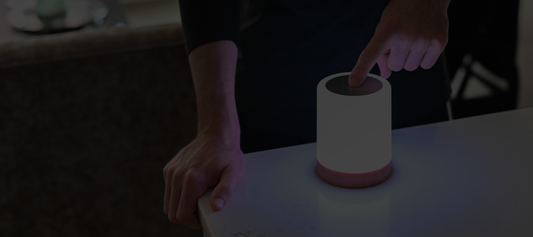
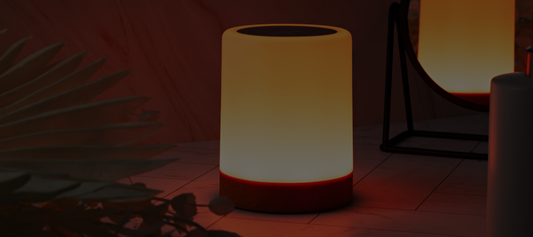
A frame on each side of the distance means both people can push photos throughout the day — where you had lunch, something funny you saw on the street, proof that the plant is still alive. It's not a video call. It's something quieter and more constant. For couples who want something more interactive, a LuvLink Friendship Lamp adds real-time touch-based connection on top of the photos — tap your lamp, their lamp lights up in the same colour, no words needed. The two work beautifully together.
Not sure which product suits your situation best? The article LuvLink Digital Photo Frame vs Friendship Lamp: Which Is Right for You? breaks it down clearly.
Limitations: When a Frameo Frame Isn't the Right Fit
A few things worth knowing before you buy. Frame storage is finite — on most models it's 8GB or 16GB, which is generous but not unlimited; very active families sending daily over several years will eventually see older photos drop off the library. If the recipient's Wi-Fi drops out (common with older routers or regional connections), the frame won't receive new photos until the connection is restored — it'll keep showing existing photos fine, but nothing new gets through. Video clips are a popular feature, but they do draw more processing power than still photos; on older or entry-level frames, long video files can occasionally stutter. Finally, the Frameo app has attracted some intermittent reviews noting connectivity glitches after app updates — usually resolved by restarting the frame, but worth knowing if you're gifting to someone without a nearby family member to troubleshoot. None of these are deal-breakers, but they're real, and it's better to know upfront.
Buying a Frameo Frame in Australia: What to Check
This is the section most product pages skip entirely, and it's where Australian buyers get caught out. Here's a specific checklist of what actually matters.
1. AU Power Adapter Included?
LuvLink ships every frame with an AU-compatible power adapter — Type I plug, 230V — so you plug it straight into the wall. Grey-market frames from overseas marketplaces (eBay, AliExpress, some Amazon listings) often include a US or EU plug. A US adapter physically won't fit an Australian powerpoint without a travel converter, and even with a converter, voltage mismatches can damage the frame. Always confirm AU adapter is included before purchasing from any seller.
2. 2.4GHz Wi-Fi Compatibility
Most Frameo-compatible frames — including the full LuvLink range — connect via 2.4GHz Wi-Fi only. They cannot connect to a 5GHz-only network. This trips people up because many modern Australian routers (especially those supplied by Telstra, Optus, and TPG) broadcast both 2.4GHz and 5GHz bands, sometimes under a single combined network name. When that happens, your phone might connect fine (phones can negotiate the band automatically) but the frame can't get on. The fix: log into your router admin panel and split the two bands into separate network names — give the 2.4GHz band its own SSID like "HomeNetwork_2.4". It takes about two minutes and solves the problem permanently. If you're gifting the frame to a less tech-confident recipient, sort this before setup day.
3. Australian Consumer Guarantee Rights
Under Australian Consumer Law, you're entitled to a repair, replacement, or refund for a major failure — regardless of what any warranty card says. LuvLink is an Australian business, which means warranty claims stay local; there's no shipping a faulty frame to a warehouse in Shenzhen and waiting six weeks. If you buy a grey-market frame from an overseas seller, your ACL rights still technically apply, but exercising them across borders is genuinely difficult. Local matters here.
4. Genuine Frameo Compatibility
Not every Wi-Fi digital photo frame uses the Frameo platform. Some use proprietary apps that require a paid subscription or limit the number of senders. Before buying any frame, confirm it specifically runs Frameo software — that's what gives you the free, unlimited, multi-sender setup described in this guide. All LuvLink digital photo frames are Frameo-compatible.
5. Local Shipping and Support
LuvLink ships Australia-wide with local customer support. If something goes wrong — frame won't connect, adapter issue, app pairing problem — you're dealing with someone in the same time zone, not a support queue that opens at 2am AEST. For a gift with a specific delivery date (Mother's Day, a birthday, Christmas), that reliability matters more than saving a few dollars on a marketplace listing.
Is a Frameo Digital Photo Frame a Good Gift Idea?
Yes — and not in the vague "it's a thoughtful gift" way. Here's why it actually works as a digital photo frame gift.
Most gifts are a moment. You hand it over, they smile, it goes in a cupboard or gets used three times. A Frameo frame is the opposite of that. It gets more useful over time, as more people pair to it and the photo library grows. Six months after gifting one to a parent, they might have hundreds of photos cycling through — every family milestone, every silly Tuesday moment. That accumulation of ordinary life is something no candle or hamper ever delivers.

The occasions it suits are broad. Christmas. Mother's Day. Father's Day. A milestone birthday. A new baby arriving in the family. Retirement. An anniversary. It works for any occasion where you want the gift to say you matter and I want you to feel close — without having to say it out loud.
The people you love shouldn't have to wait for a visit to see your face.
For specific gifting inspiration, the articles Best Gifts for Grandma This Mother's Day in Australia and The Perfect Christmas Gift: A LuvLink Digital Photo Frame are worth reading. And if you're shopping for a couple rather than a parent, the top couple gifts guide has some useful framing.
Families across Australia consistently say the same thing: the frame becomes the first thing their parent or grandparent looks at in the morning. That's not a product feature. That's a habit of connection. For a genuine digital photo frame gift that earns its place on the shelf, a Frameo-compatible frame is hard to beat.
Frameo Digital Photo Frames Available in Australia
A few things separate a quality Australian purchase from a frustrating one: AU power adapter included, genuine Frameo compatibility, local shipping, and a frame that actually looks good in a home rather than like a piece of tech equipment someone forgot to style.
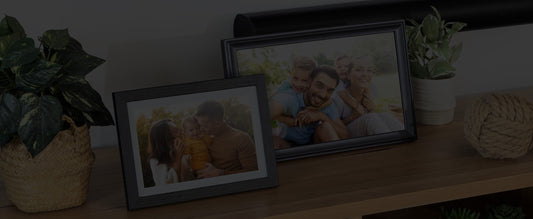
LuvLink stocks a full range of Frameo-compatible frames — in 10.1", 15.6", and 21.5" — across finishes including Black Wood, White Wood, Black LED, Black Classic, White Classic, and Black Modern. Every frame ships with an AU-compatible power adapter, and support is local. There's no grey-market guesswork about voltage converters or warranty claims going overseas.
Resolution matters more than raw size. A lower-resolution screen on a large frame will look pixelated with modern phone photos. Look for IPS display panels: accurate colour and wide viewing angles, which matters when the frame is across the room or viewed from the side. A basic TN-panel LCD might look fine head-on but washes out at an angle — not ideal in a lounge room where people are moving around.
Browse our Frameo digital photo frames — delivered Australia-wide →

And if you want to add real-time connection on top of the photos — something that lets your person know you're thinking of them with a single touch, not just a photo — a LuvLink Friendship Lamp pairs beautifully with a frame. Touch your lamp, their lamp lights up in the same colour, instantly. No words needed. The two together cover both the memory-keeping and the moment-to-moment connection that distance makes hard. You can also explore the full guide to the best Frameo digital photo frames in Australia for a deeper look at what's available.
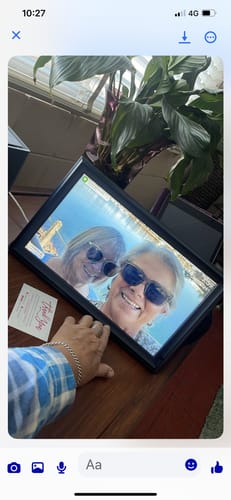
“We bought the frame as a family gift for my mums 80th birthday she doesn’t have alot of room for photos of all her grandchildren and great grandchildren so we have all sent photos to the frame and she absolutely loves it. Best present ever thank you”
Frequently Asked Questions
Is the Frameo app free?
Yes — the Frameo app is free to download and use on both iOS and Android. There's no subscription fee to send photos, and there's no limit on how many photos you can send. The app is free for every sender connected to a frame.
How many people can send photos to one Frameo frame?
Multiple senders can pair to the same frame — there's no hard cap that limits a family group. Each person just needs the free Frameo app and the pairing code from the frame owner. Once paired, each sender has their own connection and can send photos any time without coordinating with others.
Does a Frameo frame need to stay connected to Wi-Fi?
The frame needs an active Wi-Fi connection to receive new photos as they're sent. Photos already stored on the frame continue to display as a slideshow even when Wi-Fi is unavailable — so if the internet drops out temporarily, the frame doesn't go blank. It just won't receive new photos until the connection is restored.
Does Frameo work in Australia?
Yes — the Frameo app and Frameo-compatible frames work in Australia without any issues. The main thing to check is that your Wi-Fi router has a 2.4GHz band available and that it's set up as a separate network name from your 5GHz band (see the buying checklist above). LuvLink ships AU-compatible frames with the correct power adapter included, so there are no compatibility issues out of the box.
Can I send videos to a Frameo frame?
Short video clips are supported on many Frameo-compatible frame models, including those in the LuvLink range. Clips play directly on the frame — no extra steps needed. This makes moments like a baby's first laugh or a birthday song feel a lot more alive than a still photo ever could. Check the specific model's listing for video support confirmation before purchasing.
Did you know your frame can be a calendar too?
Frameo now syncs the calendar you already use straight to your frame. Meet the LuvLink Digital Calendar — a beautiful photo frame that also displays your family's plans in real time. A photo frame when you want it, a calendar when you need it. Explore the Digital Calendar →